LINKS — Schedule Link (Page 1 of 4)
Schedule Link
The Schedule Link function allows you to schedule when a link becomes accessible based on a specific date and time.
This function can be used if you subscribe to the Premium package. To subscribe, click here.
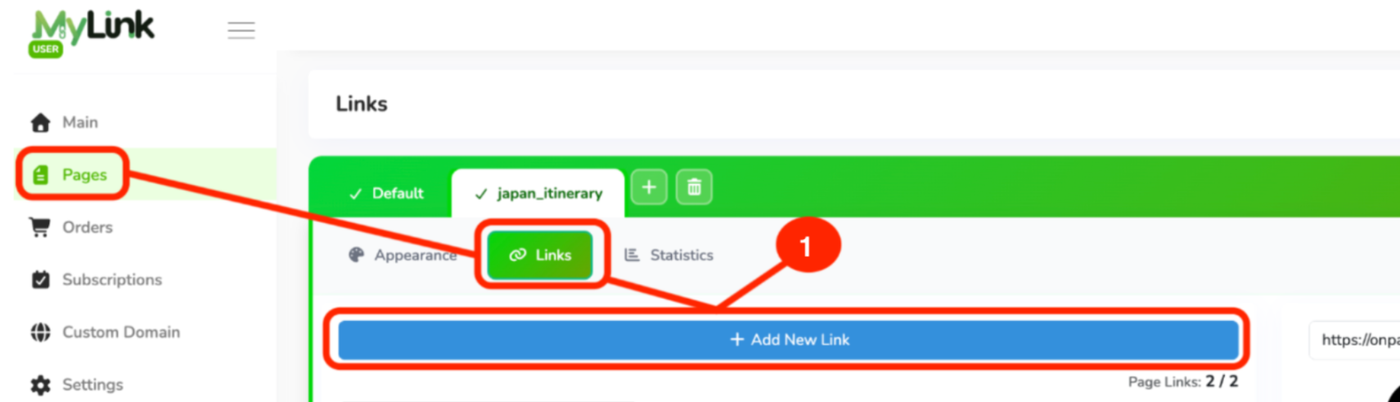
After subscribing to the Premium Package, go to the Pages tab, then Links, and click + Add New Link.
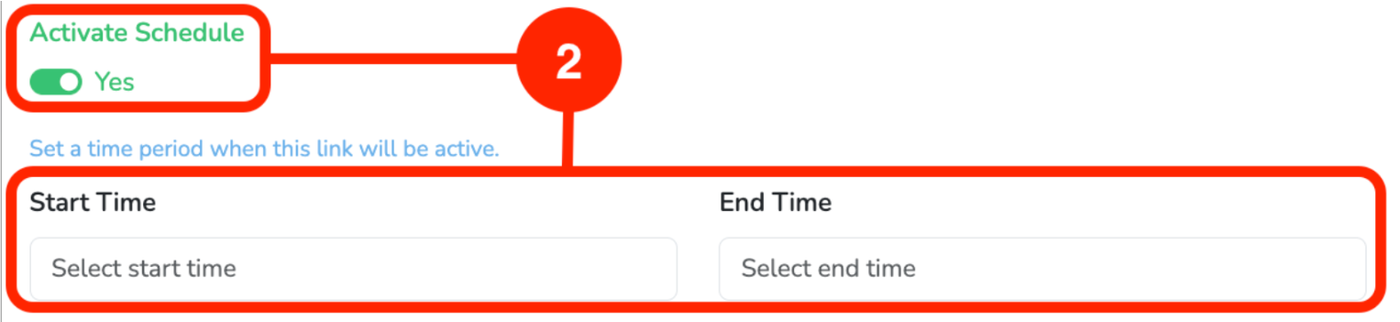
After filling in the link details, click Activate Schedule, then select the start and end times.
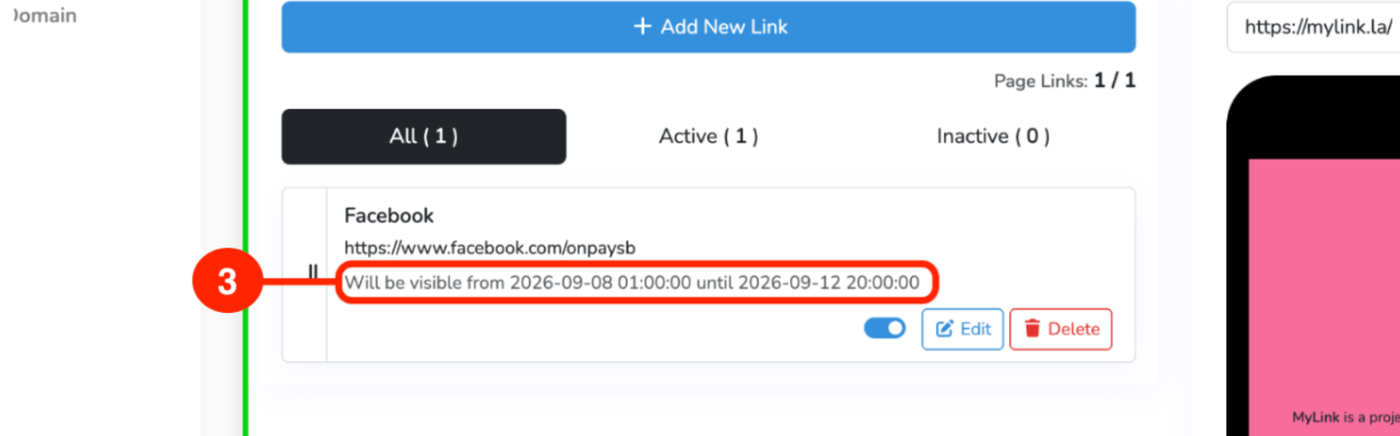
Example of a scheduled link
The link will only be accessible between the start and end times.